Microsoft blocks registry trick that unlocked performance-boosting native NVMe driver on Windows 11 — workarounds still exist to enable support, however
⚡ Quick Hits
- Microsoft patched the registry exploit used to unlock the native NVMe performance driver.
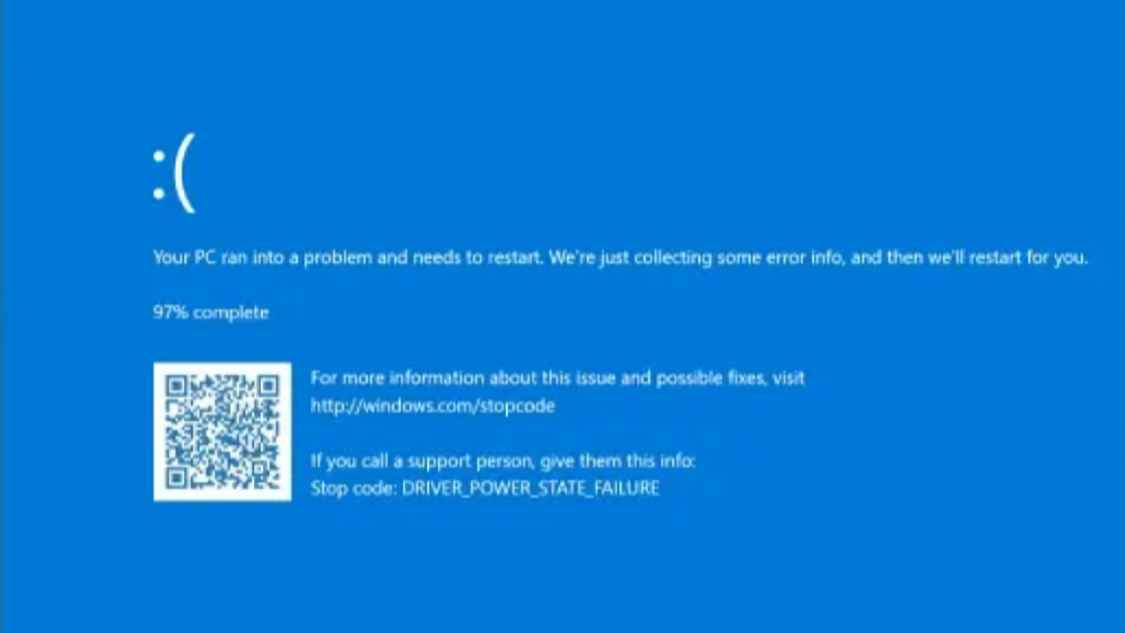
- The block was likely implemented to prevent the notorious "DRIVER_POWER_STATE_FAILURE" system crash.
- Alternative workarounds still exist for advanced users willing to risk system stability.
Welcome back to another system update from The Tech Monk. If you are a storage enthusiast who relies on clever operating system tweaks to squeeze every last drop of speed out of your solid-state drives, you will want to pay attention to Microsoft's latest move.
Recently, power users discovered a handy registry trick in Windows 11 that unlocked a native NVMe driver. This tweak effectively bypassed standard limitations, providing a highly sought-after performance boost for compatible storage setups. Unfortunately, Microsoft has officially stepped in and patched out this specific registry backdoor.
Why the Block?
The crux of the issue boils down to system stability. When forcing this native driver on unsupported or unoptimized hardware configurations, many users encountered the dreaded DRIVER_POWER_STATE_FAILURE Blue Screen of Death (BSOD). NVMe power management is notoriously finicky, and when the OS and the storage controller fail to communicate properly during power state transitions (like waking from sleep), the system crashes. Microsoft's restriction is a direct effort to protect the broader user base from these severe stability drops.
Is the Performance Boost Gone Forever?
Not necessarily. While the primary, easy-to-use registry trick is now blocked, the enthusiast community has already confirmed that other workarounds still exist to enable the driver.
However, as your resident Tech Monk, my advice is to tread carefully. Unless you are willing to troubleshoot power state failures and risk losing unsaved work to sudden crashes, you might want to stick to your hardware manufacturer's official NVMe drivers for now.
Stay optimized, and always remember to back up your data before tinkering!